
Your desk's advertised height says little about whether you fit under it. What counts is the clear space for your knees and feet, after aprons, drawers and chair arms take their share. This guide sets up chair, knee room, depth, window and light in that order, using OSHA numbers in inches.
Start With the Chair: Height, Lumbar Support, Base and Recline
The chair comes first because it sets every other measurement. According to OSHA, a workstation chair should have adjustable seat height, lumbar support, a sturdy five-legged base, and a backrest that reclines at least 15 degrees.
What the Chair Is Built From
Lumbar support is a curved section of the backrest that fills the small of your back. The five-legged base is a star of five arms on casters, and it resists tipping better than a four-leg frame. A gas-lift cylinder under the seat is the usual height-adjustment mechanism, and a tilt mechanism handles the recline.
OSHA puts the seat-height range at 15 to 22 inches. Seat depth matters too: OSHA recommends an adjustable seat pan length of 15 to 17 inches and a width of about 18 inches. A small gap should remain between the seat edge and the back of your knees.
The Office Chair Height Question
The right office chair height is the one where your feet rest flat on the floor and your knees sit near 90 degrees. Sit back, let your feet drop, and check that your thighs are roughly level. If your feet hang, the chair is too high for you, and a footrest closes the gap.
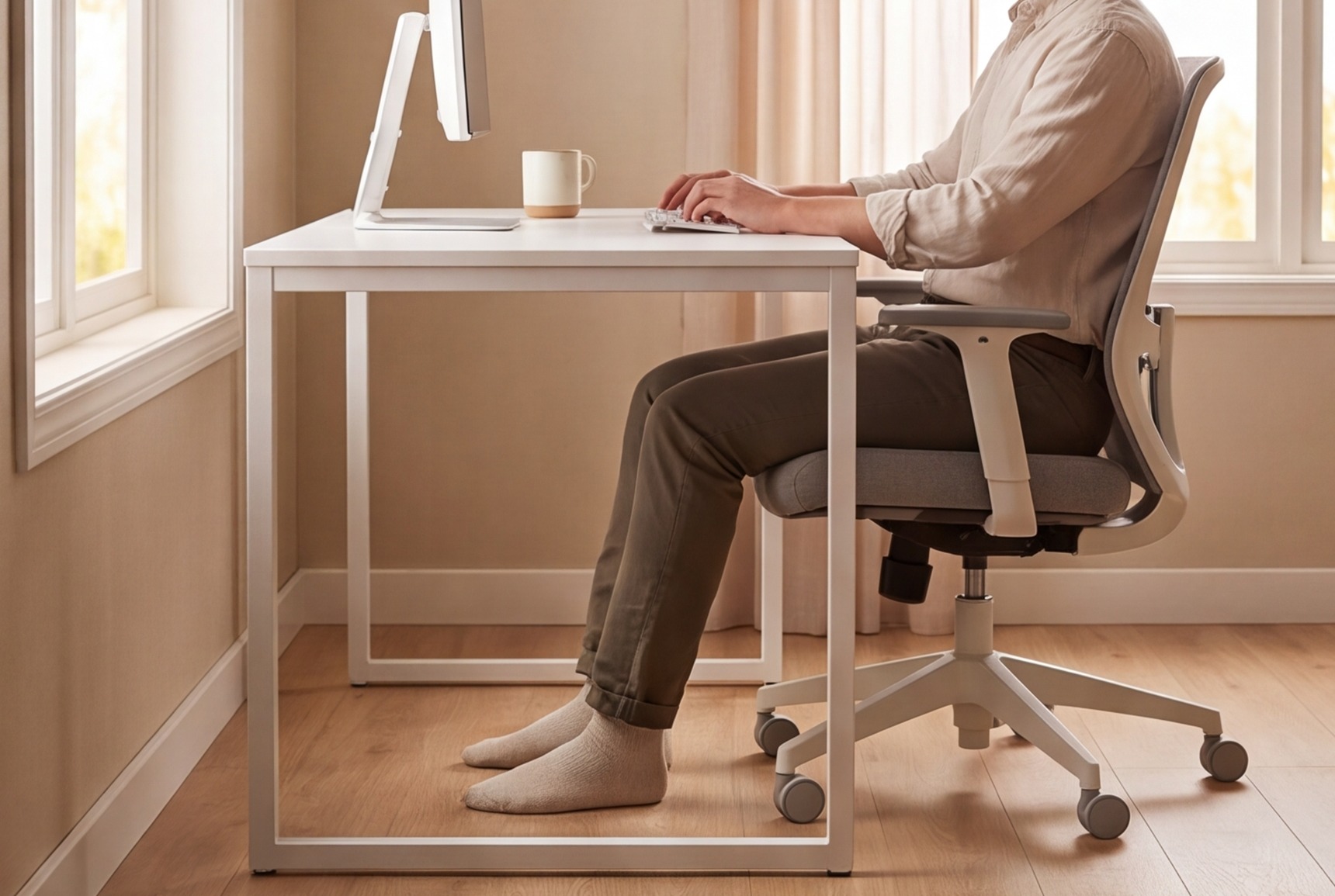
Armrests help when they adjust. OSHA recommends an armrest height range of 7 to 10.5 inches above the seat pan, which lets your shoulders stay loose while you type.
Why a Dining Chair Is Not a Desk Chair
A dining chair has a fixed seat height, a flat back and usually four legs. Nothing adjusts, so the desk has to match the chair by luck. For a stopgap, a dining chair beats the couch because it gives a firmer, more upright seat. That is a fair temporary answer. For a full workday, an adjustable chair is the first purchase worth making.
How Much Knee Room Does a Desk Need, and What if the Desk Is Too High?
A desk needs roughly 20 to 28 inches of clear height under the top, plus enough depth for your knees and feet. OSHA guidance, as summarized by Engage PEO, gives clearance heights of about 20 to 28 inches depending on posture, with 20 inches of width. If your setup fails this test, it needs a different chair, a footrest, or a height-adjustable desk.
Measure the Hidden Geometry
The advertised height ignores what sits under the top. An apron is the horizontal rail that joins the legs just beneath the surface, and a drawer box hangs below it. Both can cut clearance by several inches. Chair arms add a third obstacle, because they stop at the apron before the seat reaches the desk.
A desk's listed height hides the real test: how much usable space remains under the top once rails and drawers claim their share.
To check at home, slide your chair in and look for contact points. Your thighs should clear the underside, and your knees and feet should move freely. OSHA specifies a minimum clearance depth of 17.6 inches for knees and 24 inches for feet. A tape measure from the desk's front edge to the wall or crossbar behind it gives you the number.
When the Desk Is Too High
There are two fixes, and they work together. Raise the chair until your elbows meet the keyboard height, then add a footrest so your feet are supported. Lowering a fixed desk is rarely an option.
If the chair will not fit under, check the chair arms first. Removing a center drawer, if the desk allows it, also gains thigh room.
When a Height-Adjustable Desk Is the Fix
A height-adjustable desk has a motor or crank inside telescoping legs. It is the clean answer when two people share a desk or when you alternate sitting and standing. It is also a real expense, so a raised chair and footrest is a sound choice for a single user on a tight budget.
Desk Depth, Screen Distance and Where Keyboard and Monitor Sit
A desk about 24 inches deep or more lets the screen sit far enough away. OSHA states that the monitor should be directly in front of you and at least 20 inches from your eyes, and that the desk must be deep enough to achieve that distance.
Why Depth Is the Overlooked Number
Product listings lead with width and height. Measure depth from the front edge to the wall, then subtract the monitor stand's footprint: what is left is roughly your viewing distance.
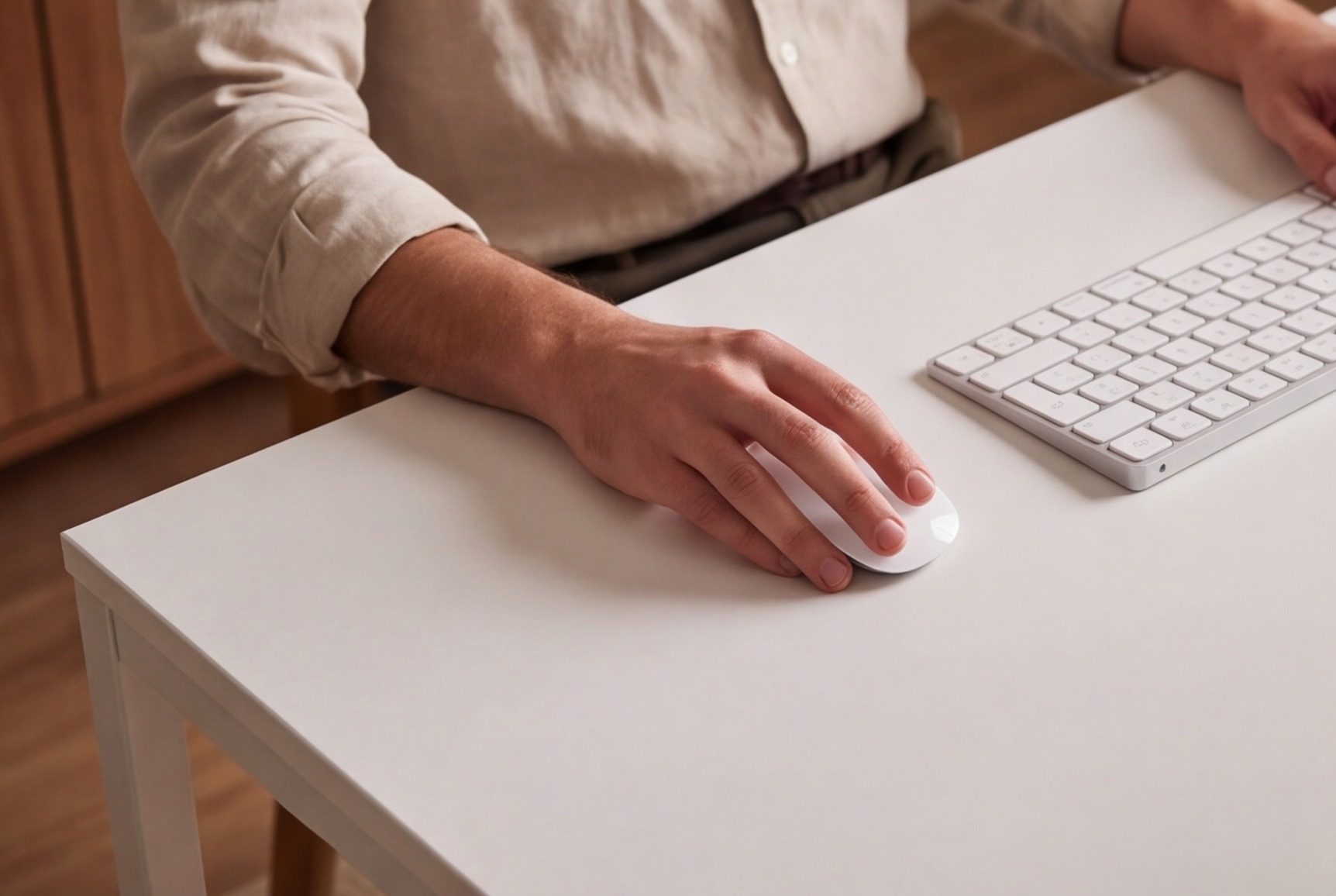
A quick home test is to sit back and reach straight out. PennEHRS, Penn's environmental health and safety office, puts the monitor about an arm's length away with the top third near eye level.
Keyboard Height and Elbows
Elbows near 90 degrees is the simple target. OSHA lists seated keyboard-height adjustability from 22 to 30 inches and says keyboard height should be approximately elbow height. Your shoulders should hang relaxed, not hiked up toward your ears.
Laptop-Only Setups
A laptop joins the screen and keyboard in one slab, so raising the screen to eye level lifts the keyboard out of position too. According to PennEHRS, the attached keyboard and screen are inherently difficult to position neutrally, and a riser plus an external keyboard and mouse solves that problem. The riser lifts the screen toward eye level, and the separate keyboard stays at elbow height.
A home-office evaluation of 41 workstations, reported in SAGE Journals, found the most common concerns were laptop use, nonadjustable chairs without armrests, low monitor heights and hard desk surfaces. Those four problems point to the same short list of fixes.
Working at a Dining Table, Kitchen Counter or Other Fixed-Height Surface
A fixed-height surface can work if you adjust the chair, the footing and the keyboard, in that order. Measure what you own before buying anything, because dining tables and counters differ more than their labels suggest.
Standard Height Versus What You Own
PennEHRS identifies a typical office desk as 29 to 30 inches high and says this is too high for many office workers. Its height chart runs from 25 to 26 inches for users 5'0" to 5'3" up to 30 to 32 inches for users 6'1" to 6'5".
The Fixed-Surface Rescue
- Measure the surface height and the clear space beneath it.
- Raise the chair only until your elbows reach the keyboard.
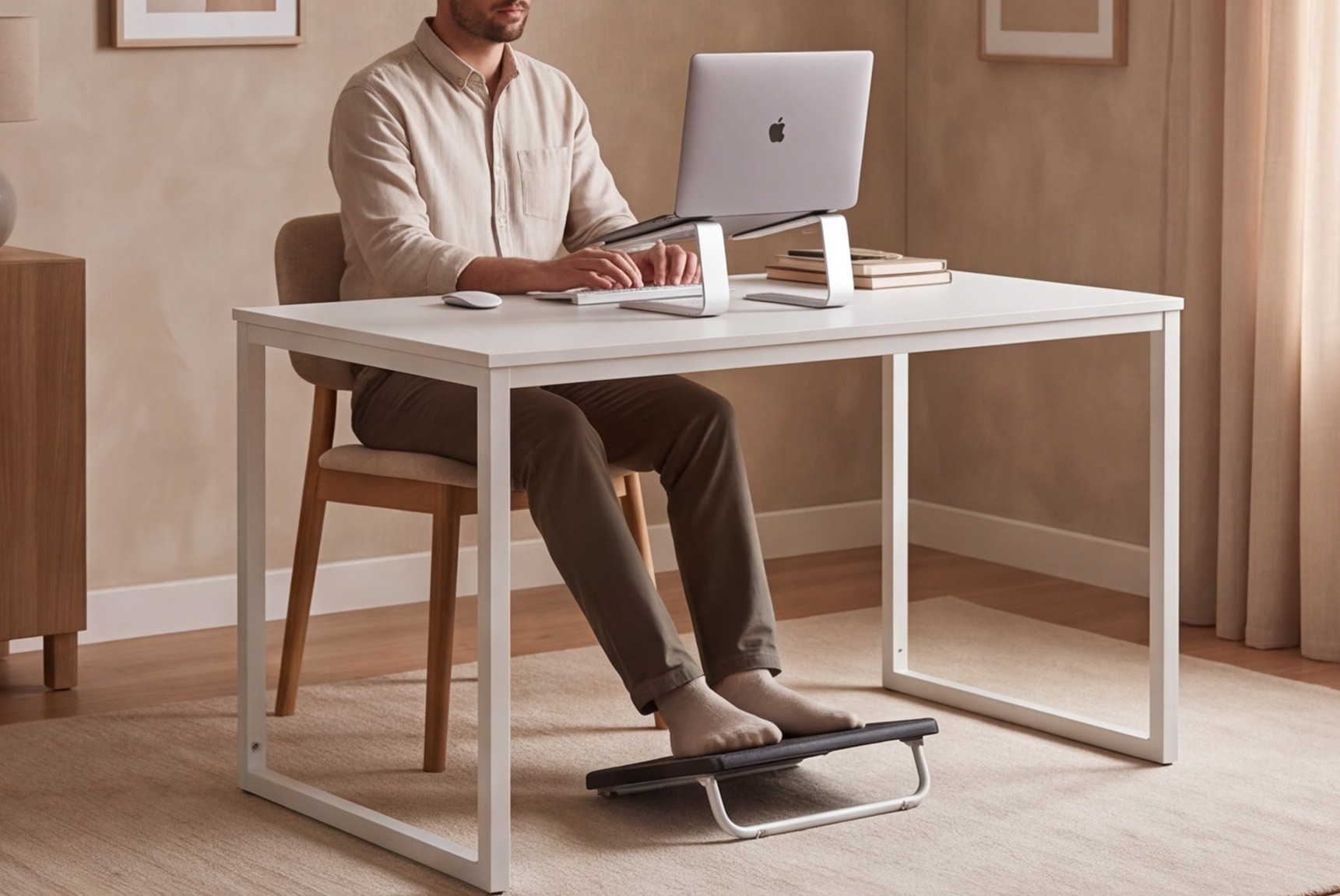
- Add a footrest if your feet no longer reach the floor.
- If the surface is still too high, add a keyboard tray.
For a tray, U.S. Army Safety guidance recommends a vertically adjustable keyboard tray with a floor-to-tray range of 22 to 28 inches. It also asks for at least 15 inches of knee clearance depth, ideally 17, and 23.5 inches for feet.
Symptom-to-Adjustment Troubleshooting
- Shoulder or neck ache: lower the keyboard to elbow height and raise the screen with a riser. If the ache lasts, see a doctor or physical therapist.
- Wrist discomfort on a hard edge: add a soft forearm pad or wrist support.
- Lower-back fatigue: use a chair with adjustable lumbar support, or a rolled towel as a short-term stand-in.
- Dangling feet or pressure behind the knees: add a footrest and check seat depth.
Household matters here. A cat-friendly home does well with a tightly woven fabric chair seat in place of leather, which scratches easily. With a toddler around, choose a low-pile or flat-weave rug under the chair, and skip shag, which tangles casters and hides small objects.
Position the Desk Beside the Window and Light the Work Surface
Turn the desk so the window is at your side, and light the work surface with a shaded task lamp. Oregon OSHA recommends locating computer workspaces away from and at right angles to windows and using adjustable blinds or drapes to reduce glare.
Side-On to the Window
A window behind the screen throws glare at you, and one behind you reflects off the glass. Side-on avoids both and keeps the daylight. Blinds or lined drapes let you tame midday sun without losing the view.
Place the desk sideways to the window so daylight lights your work without glaring into your eyes or onto your screen.
A Shaded Task Lamp, Aimed Low
A task lamp has an adjustable arm and a shade that confines the light to a small pool. Aim it at the paper or work surface, not the screen, so it does not reflect in the glass. The shade also stops the bulb from shining into your eyes.
Screens and paper need different amounts of light. Oregon OSHA gives 20 to 50 lumens per square foot (the same as foot-candles) for screen work and 50 to 70 for print. Federal OSHA draws the line differently, with 20 to 50 foot-candles for paper tasks and up to 73 for LCD monitors. Either way, a switchable task lamp on the paper adds light where you read without raising the whole room's brightness.
Choosing a Look That Fits the Household
Once the measurements are settled, the style can follow. The mid century modern office page shows desks and chairs in that style, with tapered legs and open undersides that tend to leave knee room clear. Check apron depth and leg spacing against the numbers above. In a home with cats, favor woven or performance fabrics over leather, and in a home with toddlers, favor a flat-weave rug over wool shag.